Verity Minecraft Mod: Safe Download and Setup Guide
Install the official Verity JE mod for Minecraft Java 1.20.1, add GeckoLib, configure its AI safely, and distinguish it from the separate Bedrock add-on.
Last updated: 2026-10-20
Verity JE is the official Java Edition adaptation of ThatMob's Verity. The current project supports Minecraft Java 1.20.1 with Forge and requires GeckoLib. Download it from the creator's Modrinth project or CurseForge page, not a re-upload or a shared drive link.

Edition
Java 1.20.1Loader
ForgeSides
Client + serverWhich Verity project do you need?
There are two current projects with similar names, and their setup is not interchangeable.
Verity JE
The Java mod covered by this guide. It uses Forge 1.20.1 and needs GeckoLib. The official page says it was made with ThatMob's permission.
Verity Bedrock Edition
A separate add-on by PnTMC for Bedrock. It has its own files, supported
Bedrock releases and setup guide. A Java .jar will not work
here.
As checked on October 20, 2026, the newest stable Verity JE release is v5.7.4. The project also lists v6.0.0-beta.9, but Modrinth labels that file as beta. Both target Forge 1.20.1. Start with the stable build unless you specifically need to test the beta and can keep a backup of your world.
Install Verity JE on Minecraft Java
The easiest route is a launcher that can install Modrinth or CurseForge projects and their dependencies. If you install the files yourself, use this checklist:
- Create a fresh Minecraft Java 1.20.1 instance with the Forge loader.
- Open that instance's
modsfolder. Do not use a global folder from another profile or Minecraft version. - Download the Verity JE file that says Forge and 1.20.1 on the official project page.
- Install the matching Forge 1.20.1 build of GeckoLib. Modrinth marks GeckoLib as a required dependency for the current stable and beta Verity releases.
- Put both
.jarfiles in the instance'smodsfolder, then launch that Forge profile. Check the Mods screen before opening an important world.
For multiplayer, the project marks Verity as required on both client and server. The server and every joining player should use the same Minecraft version, loader and mod set. Back up the world before adding or upgrading a mod that changes gameplay.
The AI needs separate setup
Installing the mod file does not finish the job. Verity's official description says its assistant uses Groq and links to a separate setup tutorial. That means you may need an external account, configuration and API credential before the assistant features work.
Use the setup video linked by the project owner and keep any API key private. Do not paste a key into a public server chat, Discord message, screenshot or shared configuration file. Service limits and charges belong to the provider account; LocatorBar does not supply or resell that service.
The author says the AI can handle multiple languages, while speech-to-text and text-to-speech were tested only in English. Treat other voice languages as unconfirmed rather than assuming they will work.
What the mod adds
Verity begins as the small yellow assistant seen in ThatMob's videos. The official project also lists its animated box, a Verity Demon and darkness or other changes that can affect ordinary play. This is a horror-style gameplay mod, not a vanilla Locator Bar feature or a harmless cosmetic pack.
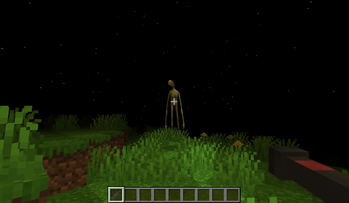
If a child is asking for the mod, review the horror content and the external AI account setup first. The mod's project page, not a clip or a repost, is the right place to check changes before installing a new release.
Fix common Verity problems
The mod does not appear
Open the launcher profile and confirm all three labels: Java Edition 1.20.1,
Forge, and the correct instance folder. A .jar placed in Bedrock, a vanilla
profile, NeoForge, or a different Forge version will not load as the current
official Java project describes. Also confirm that GeckoLib is present.
Minecraft closes during startup
Read the first missing-mod or incompatible-version line in the crash report. Remove duplicate versions of Verity or GeckoLib, then test the two required files in a clean 1.20.1 Forge instance. Add other mods back in small groups only after that instance reaches the title screen.
Verity loads, but the assistant disconnects
An HTTP 429 response usually means the configured service is rate-limiting requests. 402 means the provider is asking for payment. Those are account or service responses, not proof that reinstalling the mod will help. Check the provider dashboard, usage rules and the exact endpoint selected in your Verity configuration. Do not switch to an unofficial download offered in a comment.
A tutorial tells you to use NeoForge 1.21.1
That may describe a different build or fork. The official Verity JE project checked for this guide lists Forge 1.20.1. Match instructions to the exact file and project owner instead of combining steps from two releases.
Bedrock setup is separate
The Verity Bedrock Edition page
currently points to PnTMC's platform-specific setup guide.
That add-on uses Bedrock packs and its own requirements, including experimental
features for supported releases. Follow the Windows, Android or iOS section for
the device you actually use. Do not rename the Java .jar or copy it into a
Bedrock behavior-pack folder.
Sources and scope
Compatibility, dependency, version and feature details were checked against the official Verity JE Modrinth and CurseForge pages on October 20, 2026. The install and API troubleshooting sections answer recurring player questions, including failed installs and 429/402 responses, without treating community comments as a replacement for the project owner's requirements.
Need ordinary Minecraft navigation rather than the Verity mod? Read what the vanilla Locator Bar does or use the player color finder.