Tusk Minecraft Mod: JCraft Addon Setup and Acts Guide
Install the Tusk JCraft addon for Minecraft Java 1.20.1, match Forge or Fabric dependencies, obtain Act 1, and fix missing-stand or multiplayer problems.
Last updated: 2026-10-20
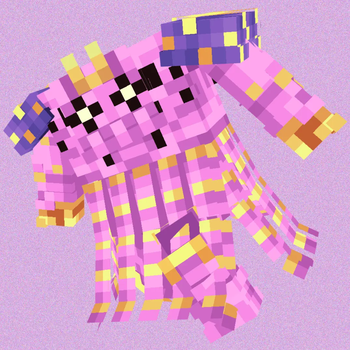
Tusk (JCraft Addon) adds Tusk Acts 1 through 4 to JCRAFT: Eyes of Ender on Minecraft Java 1.20.1. It has separate Forge and Fabric files, runs on both client and server, and requires JCraft Additions. Get it from the official Modrinth project instead of a repost.
Minecraft
Java 1.20.1Loaders
Forge or FabricCurrent release
2.1.1What this addon is
This is a JCraft addon, not a standalone Tusk mod and not a vanilla Minecraft feature. The project adds four new stands without replacing JCraft's existing stands. Subsetgaming publishes the addon; its page credits the JCraft developers for permission to use code from a beta version and names the model creators for each act.
The dependency chain matters:
- JCRAFT: Eyes of Ender
The base JoJo combat mod - JCraft Additions
Required addon framework/content
- Tusk 2.1.1
Acts 1–4 and their abilities
Modrinth marks JCraft Additions as required by Tusk, and marks JCRAFT: Eyes of Ender as required by JCraft Additions. Tusk 2.x also says it needs JCraft Additions 1.2.2 or newer. The current JCraft Additions release checked for this guide is 1.2.3.
Install Tusk with Forge or Fabric
Pick one loader and keep it consistent across the whole instance. A Forge Tusk file cannot load beside Fabric dependencies, and the reverse is also true.
- Create a Minecraft Java 1.20.1 instance using either Forge or Fabric.
- Install the 1.20.1 build of JCRAFT: Eyes of Ender for that loader.
- Install JCraft Additions for the same loader. Use version 1.2.2 or later with Tusk 2.x.
- Download Tusk 2.1.1 for the same loader from its official Versions tab.
- Put the three project files, plus any dependencies that their version pages
explicitly list, in this instance's
modsfolder. - Launch the game and use
/stand aboutto check the in-game information.
A launcher that resolves Modrinth dependencies can reduce mistakes, but still read the instance summary before launching. The loader and Minecraft version must match on every file.
For a server, install the same compatible set on the server and on every player's client. All three projects are marked as required on both sides. Copying only Tusk to a server, or only to the client, is not the supported configuration.
How to obtain Tusk Act 1
The addon uses a lore-based route rather than putting Act 4 directly in your inventory. According to the project owner:
- Find a Devil's Pillar.
- Locate Suspicious Corpse Part Sand at the structure.
- Use a brush on the suspicious sand.
- The sand can reveal one of four random Corpse Parts. You need the Saint's Left Arm to obtain Tusk Act 1.
Because the Corpse Part is random, one brush attempt does not guarantee the left arm. Do not treat a different part as an installation failure.
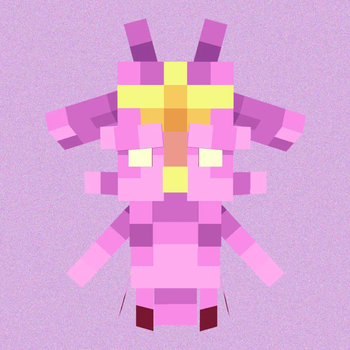
Start with Act 1
The official page says the stand has an accurate obtaining method and
evolution. Version 2.1.1 added an evolution guide to
/stand about, so use the instructions from your installed
release instead of copying a command from an older video.
The project deliberately makes Tusk's evolution part of play. This guide does
not invent the later-act requirements where the public project page points
players to the in-game guide. Run /stand about on 2.1.1 and follow the Tusk
entry that matches your installed version.
Fix common Tusk problems
Tusk is missing from the Mods screen
Confirm that the file says Minecraft 1.20.1 and the same loader as the profile. Then check the latest log for a missing dependency. Tusk needs JCraft Additions, which in turn needs JCRAFT: Eyes of Ender. Installing only the final addon is not enough.
The game reports an incompatible mod set
Do not mix Forge and Fabric files. Remove duplicates, then test JCRAFT and JCraft Additions first. Once that pair reaches the title screen, add the matching Tusk file. Tusk 2.x needs JCraft Additions 1.2.2 or newer.
The stand exists in single-player but not on a server
Compare the client and server mod lists, versions and loader. The official
metadata marks Tusk, JCraft Additions and JCRAFT as required on both sides.
Restart the server after changing its mods folder and read its startup log
instead of assuming a client reload changed the server.
I cannot find the Saint's Left Arm
First verify that you found the Devil's Pillar and brushed the correct
suspicious sand. The drop is one of four Corpse Parts, so another part is a
normal random result. Check /stand about before using commands or editing
files; that page is the author's current in-game reference.
An old guide says JCraft 0.18.0+
That is the compatibility statement on Tusk's description, but individual files can change. Match the current Tusk, JCraft Additions and base JCRAFT version pages for one loader before you update an existing world. Back up the world and its configuration first.
Safe download notes
The official Tusk and JCraft Additions projects use an all-rights-reserved
license. Link to their project pages; do not redistribute their .jar files or
gallery assets in a mod pack unless the authors' terms allow it. A file-share
mirror also hides the loader, dependency and update information needed to
diagnose a broken install.
Compatibility, version, dependency and obtaining details on this page were checked against the three official Modrinth projects on October 20, 2026. A Reddit search for the exact addon name did not return a useful player thread, so the gameplay steps stay with the project owner's documentation rather than guessing from unrelated results for the film titled Tusk.
For vanilla navigation help, see the Minecraft Locator Bar guide. If you need to identify a Java player for a server command, use the UUID lookup guide.